Product Leaders
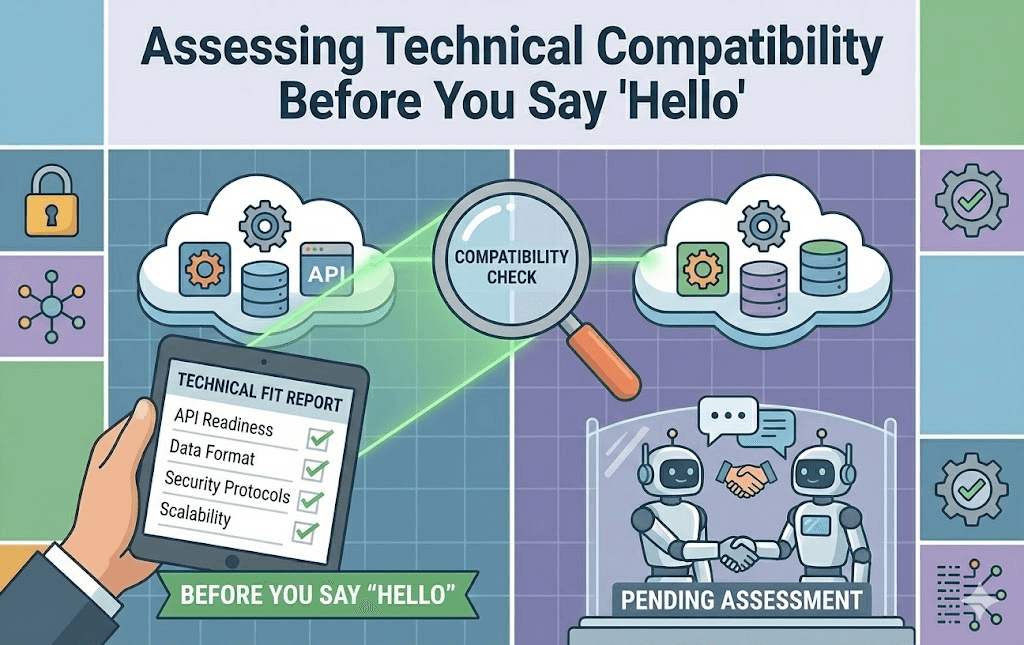
Assessing Technical Compatibility Before You Say "Hello"
Date
Nov 5, 2025
Author
Matt Astarita
Struggling with partnership deals that fall apart at the last minute because "the tech doesn't work"? Let's clear the air. The modern, effective way to handle this isn't to let Sales sign the deal and hope Engineering can figure it out. It’s to perform a Technical Audit before you even send the first email.
In 2026, technical compatibility is the single biggest predictor of partnership success. If the APIs don't fit, the partnership won't fit.
Most Partnership Managers treat technical discovery as "Step 5" in the process. It should be "Step 0." You can save hundreds of hours of wasted meetings by knowing definitively if an integration is feasible before you say "Hello."
Here is the framework for assessing technical fit from the outside looking in.
Rethinking "Due Diligence"
The old days of relying on a partner to tell you if their API is good are gone. Thank goodness. (They will always say it's "robust," even if it hasn't been updated in three years).
You need to verify, not trust.
Think of technical compatibility like a biological organ transplant.
The Donor (Partner): Do they have the right data?
The Recipient (You): Can you accept that data structure?
The Compatibility: If you mix Blood Type A with Blood Type B, the system rejects it.
If you force a mismatch, you create "Technical Rejection", buggy integrations, slow data syncs, and angry customers.
Step 1: The Protocol Check (REST vs. SOAP vs. GraphQL)
This is the first filter. You can find this in their public documentation in 30 seconds.
REST (JSON): The industry standard. Flexible, easy to read. (Green Light).
GraphQL: Modern, highly efficient, allows you to pull exact data. (Green Light).
SOAP (XML): The legacy standard. Heavy, complex, and hated by modern developers. (Yellow Light).
SFTP / CSV Upload: This is not an API. This is a file transfer. It means "Real-Time" is impossible. (Red Light).
The Rule: If you are a modern SaaS company and they are SOAP-only, the engineering cost to build the adapter will be 3x higher. Is the partner worth 3x the effort?
[Internal Link Opportunity]: Link this section to Article #42: "How to Prioritize Your Integration Roadmap" to help score this effort in your RICE model.
Step 2: The Authentication Gate (OAuth vs. Keys)
How will your customers connect the two tools? This defines the User Experience (UX).
OAuth2: The "Gold Standard." The user clicks "Login with [Partner]," accepts permissions, and is done. Safe, secure, and seamless.
API Keys: The user has to log into the partner tool, find a hidden menu, generate a 64-character key, copy it, and paste it into your tool. High friction.
If a partner does not support OAuth, your Partner Attach Rate will be lower because the setup is too hard for non-technical users.
[Internal Link Opportunity]: Link this section to Article #45: "API Documentation as a Marketing Tool" to see why you should prioritize partners who invest in DX.
Step 3: The "Data Model" Clash
This is the silent killer. Even if you both use REST APIs, do you speak the same language?
Your Model: You have a "Customer" object.
Their Model: They have separate "Lead" and "Account" objects.
When you try to sync, you hit a logic wall.
Question: When a "Lead" converts to an "Account" in their system, what happens to the "Customer" in your system?
Risk: Duplicate data, overwritten fields, and data corruption.
You can often see their "Schema" or "Object Models" in their docs. If their model is fundamentally incompatible with yours (e.g., they don't support unique email addresses as identifiers), the integration will fail.
Step 4: The "Webhooks" Pulse Check
APIs allow you to ask for data (Polling). Webhooks allow them to tell you data changed (Events).
In 2026, customers expect Real-Time sync.
Scenario: A user updates a contact in CRM.
Without Webhooks: Your system checks every hour. The user waits 59 minutes. (Bad UX).
With Webhooks: Their system pings you instantly. The user sees the update in 1 second. (Good UX).
The Check: Ctrl+F their documentation for "Webhooks" or "Events." If zero results found, you are stuck in the slow lane.
The Verdict for 2026
You don't need to be an engineer to do this assessment. You just need to be literate in the basics of connectivity.
Before you email a partner, spend 10 minutes on their developer portal. If you find they are REST + OAuth + Webhooks, you can write your outreach email with confidence:
"I reviewed your API, and it looks like a perfect fit for a real-time bi-directional sync."
That sentence proves you are not just a "Business Developer", you are a Product Strategist.
[Internal Link Opportunity]: Link this section to Article #18: "How to Use AI to Analyze Tech Stack Compatibility" for the tool that automates this entire audit.